> ## Documentation Index
> Fetch the complete documentation index at: https://docs.janus.cards/llms.txt
> Use this file to discover all available pages before exploring further.
# Document Reader
## Overview
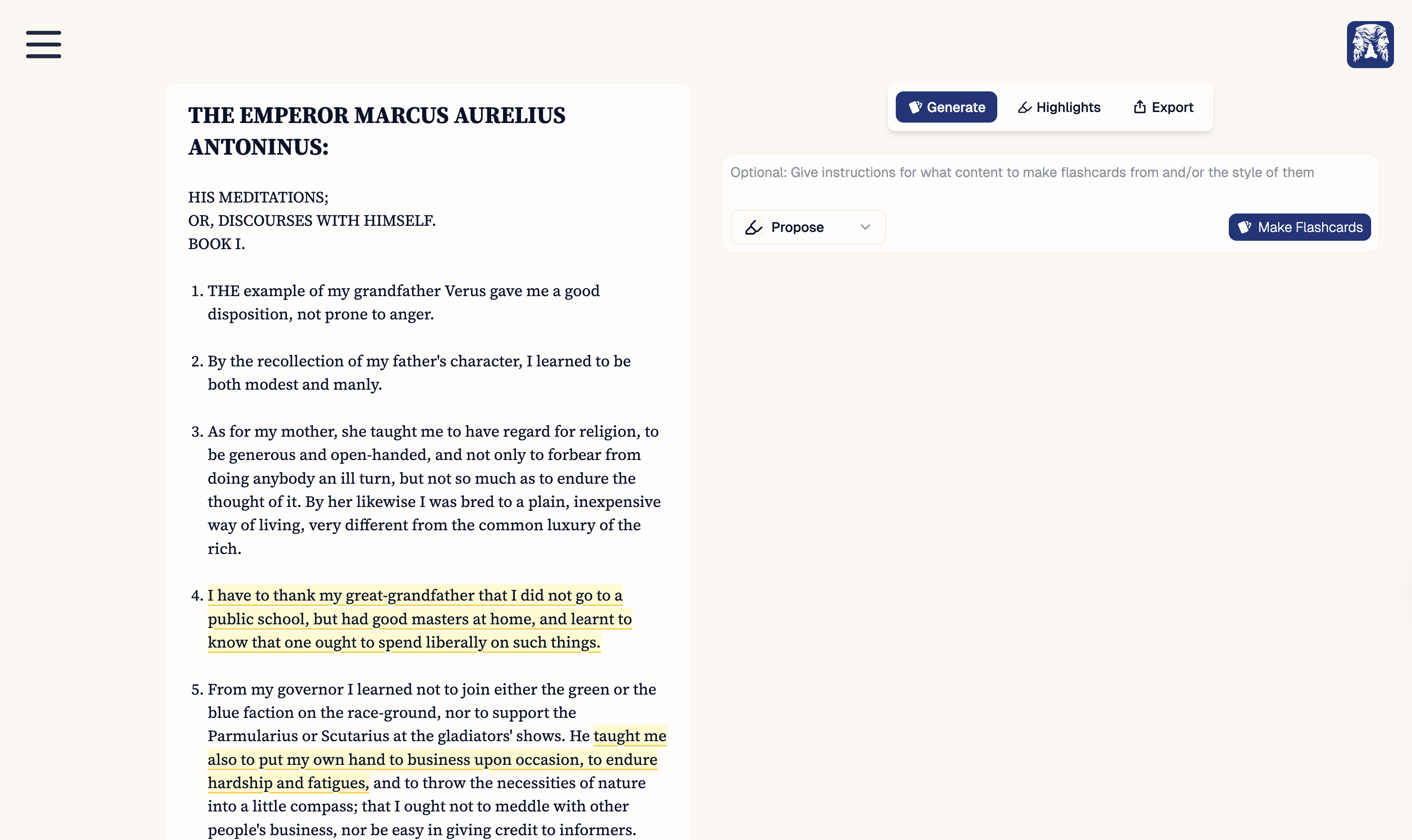
Once your material has been uploaded, the converted text will appear in the **Document Reader**. The Document Reader allows you to view text, select sections to create new highlights, view existing highlights, and quickly generate cards for a particular highlight.
 ## Existing Highlights
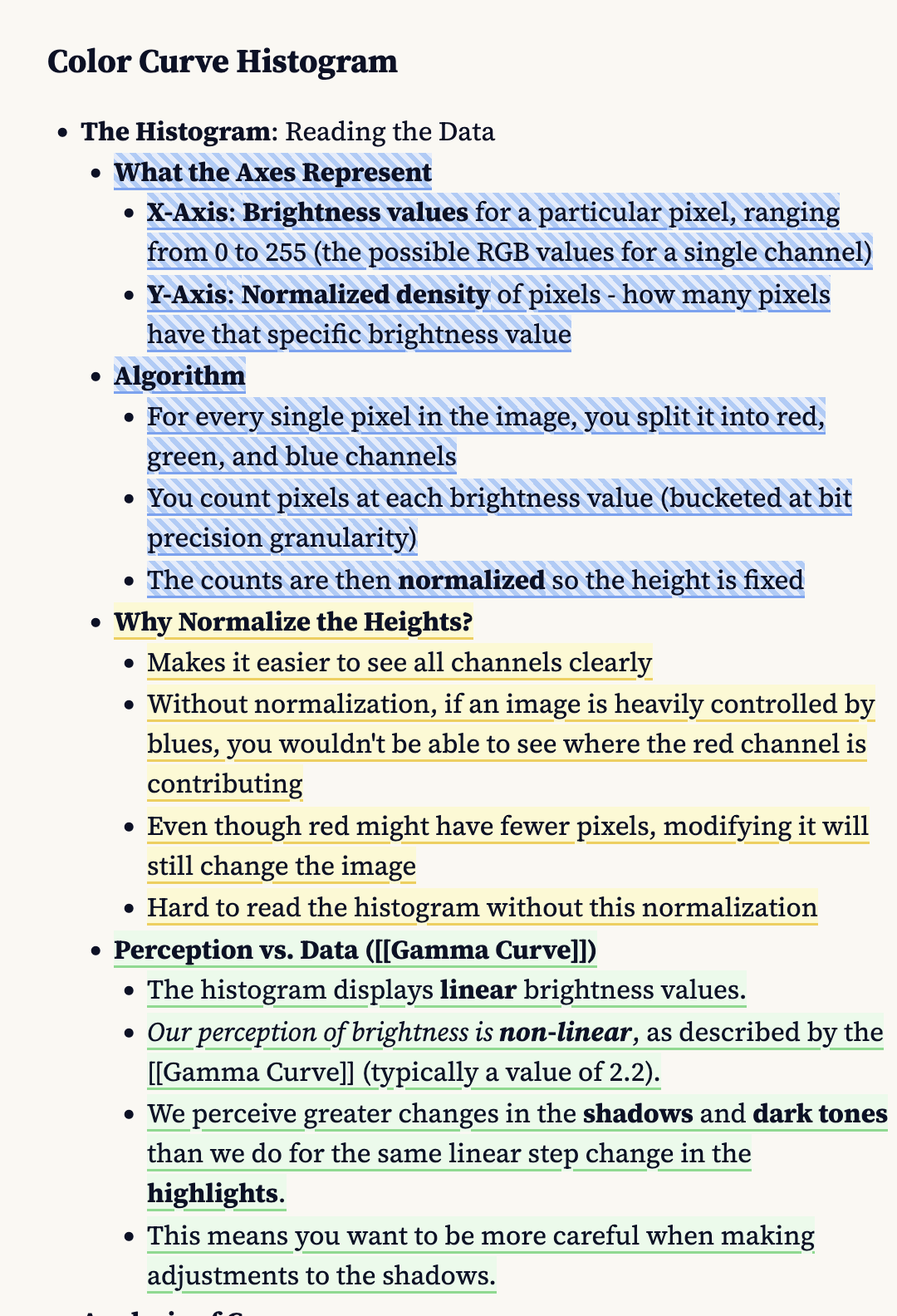
Highlights are overlayed on top of the document text, and are colour coded:
* **Blue with stripes** = Proposed highlights that are not yet saved (see [proposing highlights](/workflow/notebook/generate))
* **Yellow** = Saved highlight with no flashcards
* **Green** = Saved highlight with flashcards
## Existing Highlights
Highlights are overlayed on top of the document text, and are colour coded:
* **Blue with stripes** = Proposed highlights that are not yet saved (see [proposing highlights](/workflow/notebook/generate))
* **Yellow** = Saved highlight with no flashcards
* **Green** = Saved highlight with flashcards
 ## Creating New Highlights
You can select a region of text, and it will be automatically turned into a saved highlight. For inline or block **maths text**, the entire equation is converted to a highlight even when only a portion is selected.
## Generating Cards
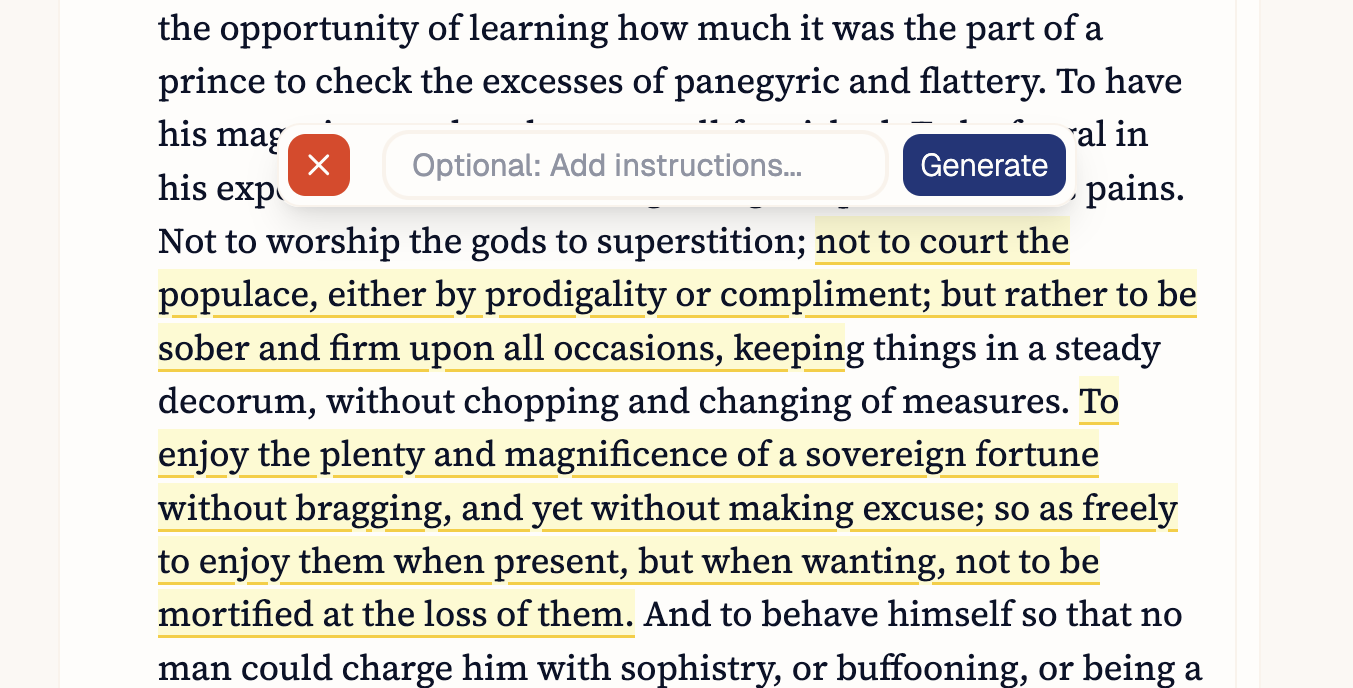
Hovering over an existing highlight will open a tooltip above. In addition to being able to quickly delete the highlight, you can run the card generator on the highlight with an optional prompt.
## Creating New Highlights
You can select a region of text, and it will be automatically turned into a saved highlight. For inline or block **maths text**, the entire equation is converted to a highlight even when only a portion is selected.
## Generating Cards
Hovering over an existing highlight will open a tooltip above. In addition to being able to quickly delete the highlight, you can run the card generator on the highlight with an optional prompt.