> ## Documentation Index
> Fetch the complete documentation index at: https://docs.janus.cards/llms.txt
> Use this file to discover all available pages before exploring further.

# Creating Your First Deck

<Tip>
  Welcome to **Janus**! This guide goes through everything you need to know to
  create your first deck in minutes.
</Tip>

<iframe width="560" height="315" src="https://www.youtube.com/embed/T5QsPju14Pc?si=uG7ZUwcsd73mV-Ee" title="YouTube video player" frameborder="0" allow="accelerometer; autoplay; clipboard-write; encrypted-media; gyroscope; picture-in-picture; web-share" referrerpolicy="strict-origin-when-cross-origin" allowfullscreen />

## Step by Step Guide

<Steps>
  <Step title="Upload">
    <p>
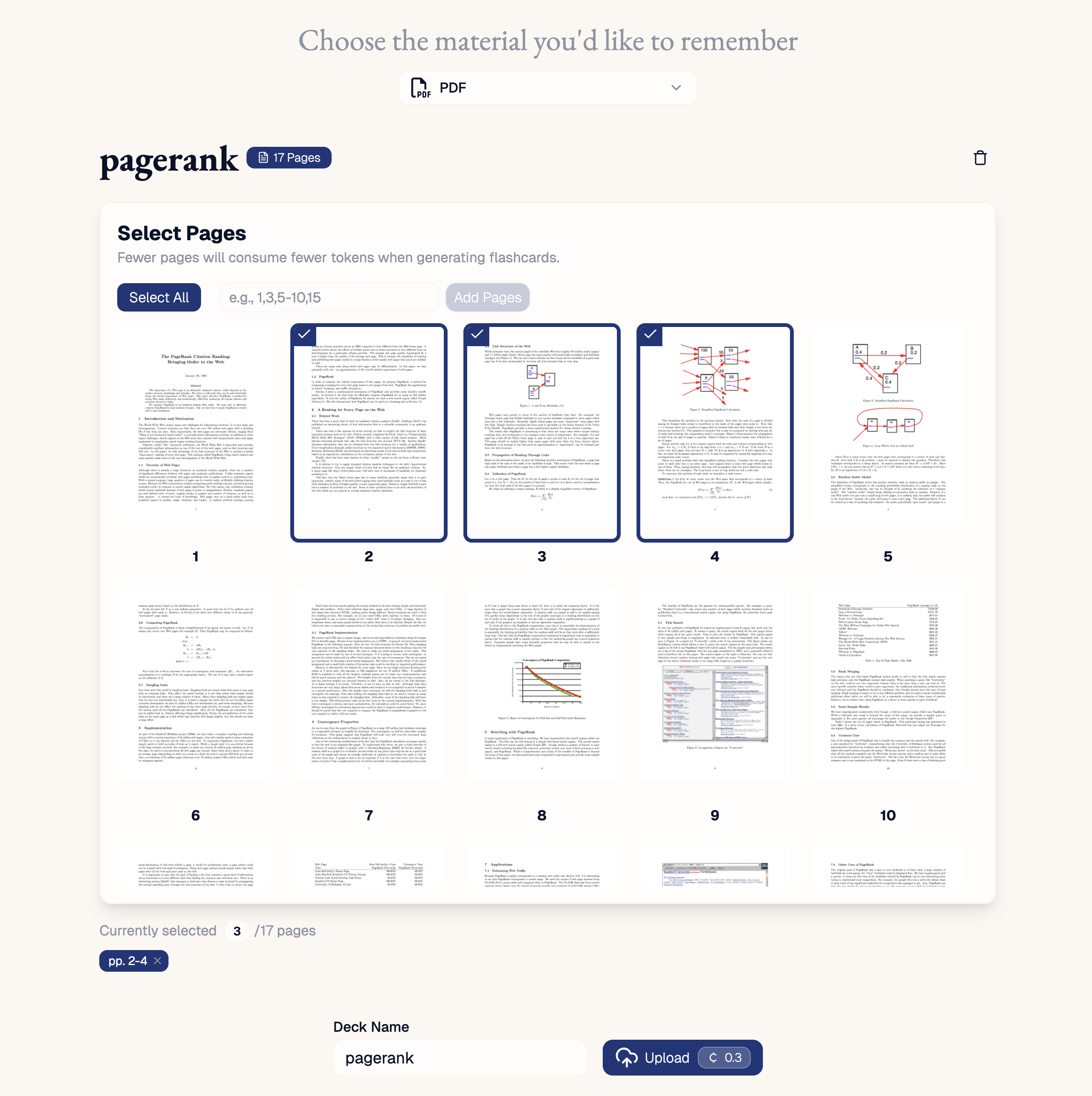
      Select the material you want to make flashcards for, including:

      * [PDFs](/workflow/upload/integrations/pdf) of your lecture notes, textbooks or research papers.
      * [Text](/workflow/upload/integrations/text) from your digital note taking app.
      * [YouTube](/workflow/upload/integrations/youtube) links of online lectures or tutorials.
      * [URLs](/workflow/upload/integrations/url) of online essays, blogs and articles.
      * [Audio](/workflow/upload/integrations/audio) of recorded lectures.
      * [Readwise](/workflow/upload/integrations/readwise) highlights of books or podcasts.
              <img src="https://mintcdn.com/janus-8f513059/l5blyo9bS0x2EKKJ/imgs/upload-example.png?fit=max&auto=format&n=l5blyo9bS0x2EKKJ&q=85&s=44e3a4b086375134b4b5a3b8022d8a30" alt="" width="2618" height="2628" data-path="imgs/upload-example.png" />
    </p>
  </Step>

  <Step title="Generate">
    <p>
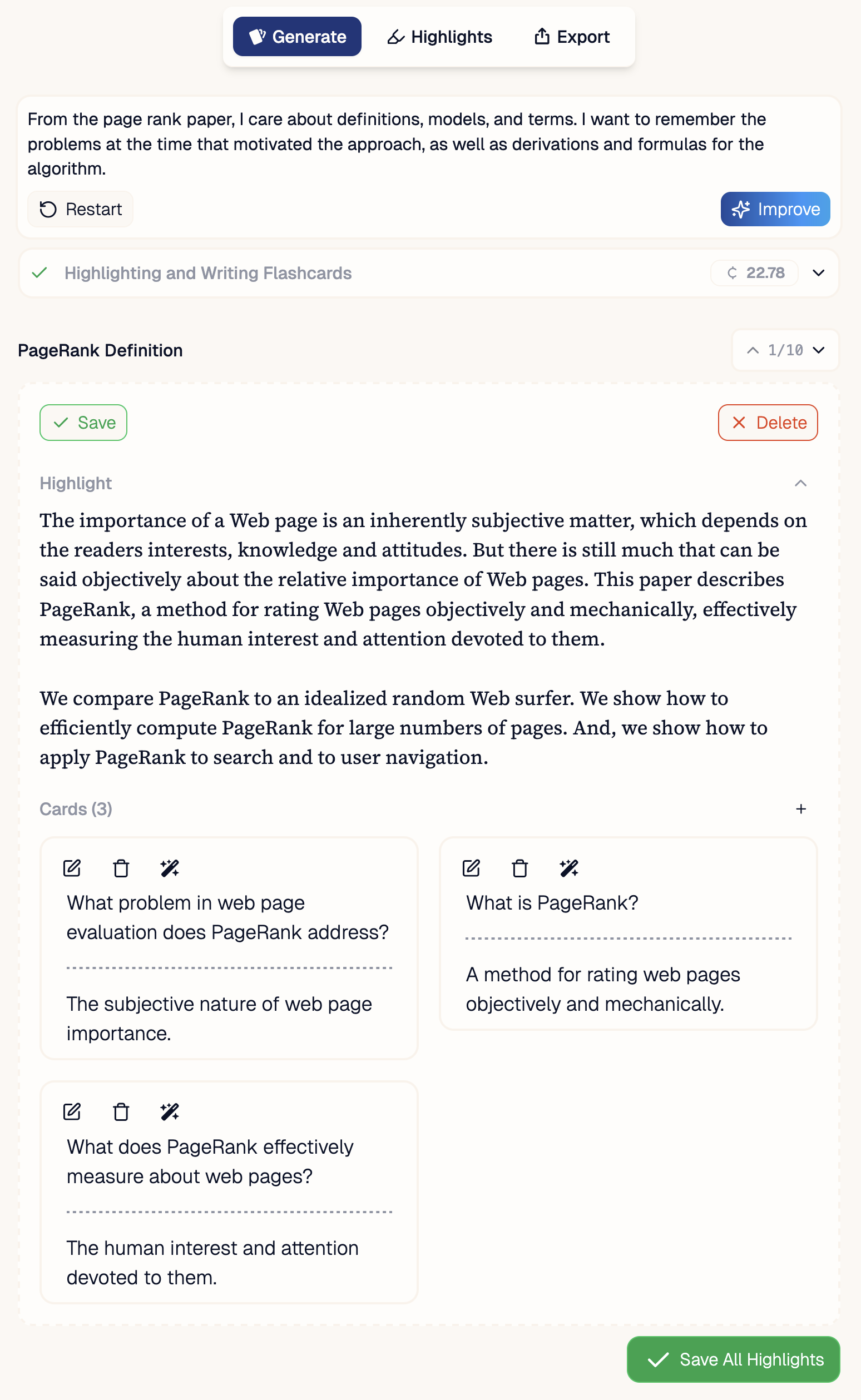
      Add a prompt for what you want highlighted and flashcards on. Then watch as Janus digests your material to create a deck. Save the cards you like and delete the ones you don't.
      <img src="https://mintcdn.com/janus-8f513059/11EOzrkR4XI3jgr4/imgs/generation-example-with-tabs.png?fit=max&auto=format&n=11EOzrkR4XI3jgr4&q=85&s=f843e229bdd5cd676a9a26347d433708" alt="" width="1548" height="2518" data-path="imgs/generation-example-with-tabs.png" />
    </p>
  </Step>

  <Step title="Review Decks in your Inbox">
    <p>
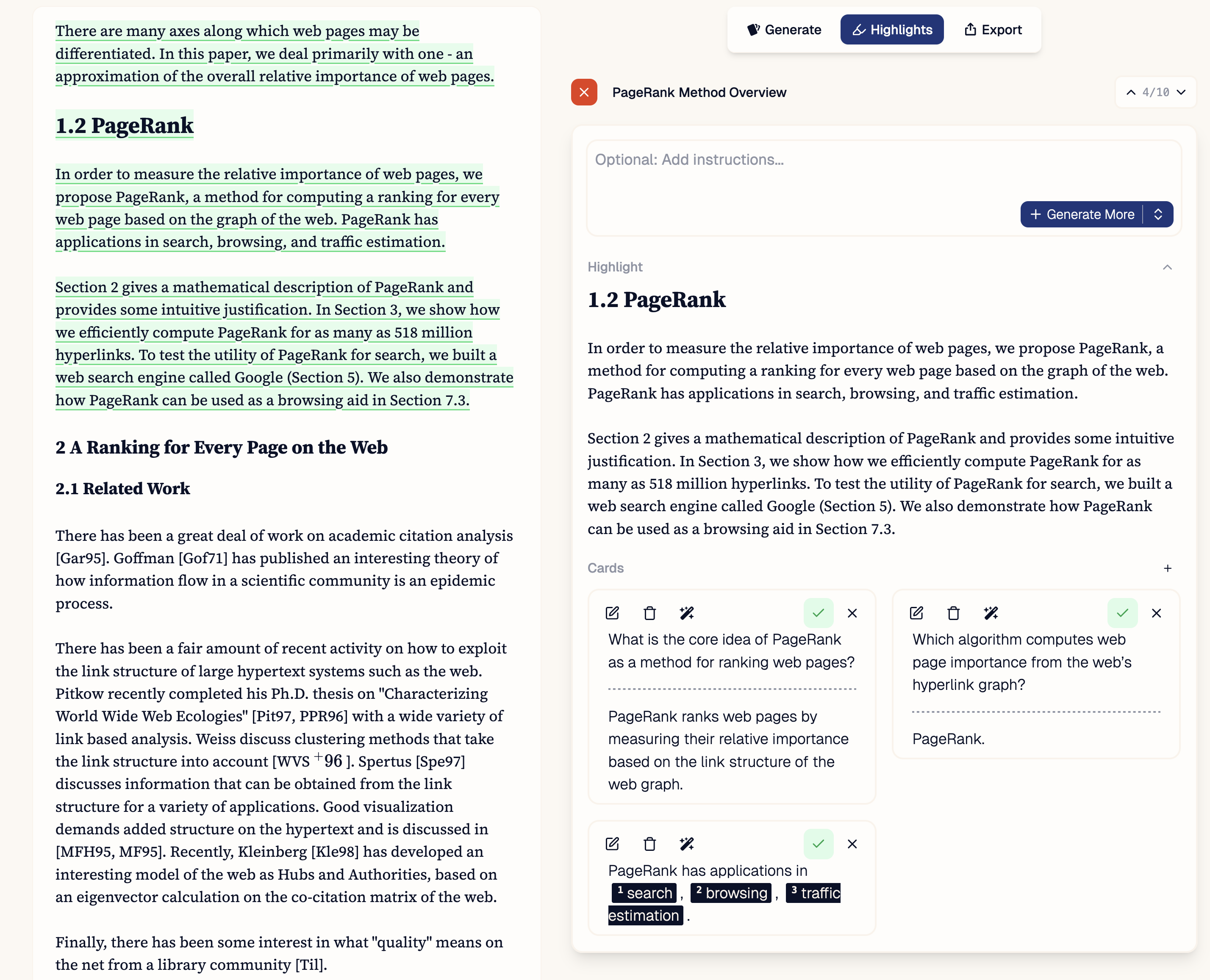
      Review all your flashcards. Request additional cards for missing content or refine what you already have.
      <img src="https://mintcdn.com/janus-8f513059/11EOzrkR4XI3jgr4/imgs/review-example.png?fit=max&auto=format&n=11EOzrkR4XI3jgr4&q=85&s=ceaad9c058641ff7d0ca3e8f90e7e9df" alt="" width="2856" height="2314" data-path="imgs/review-example.png" />
    </p>
  </Step>

  <Step title="Export">
    <p>
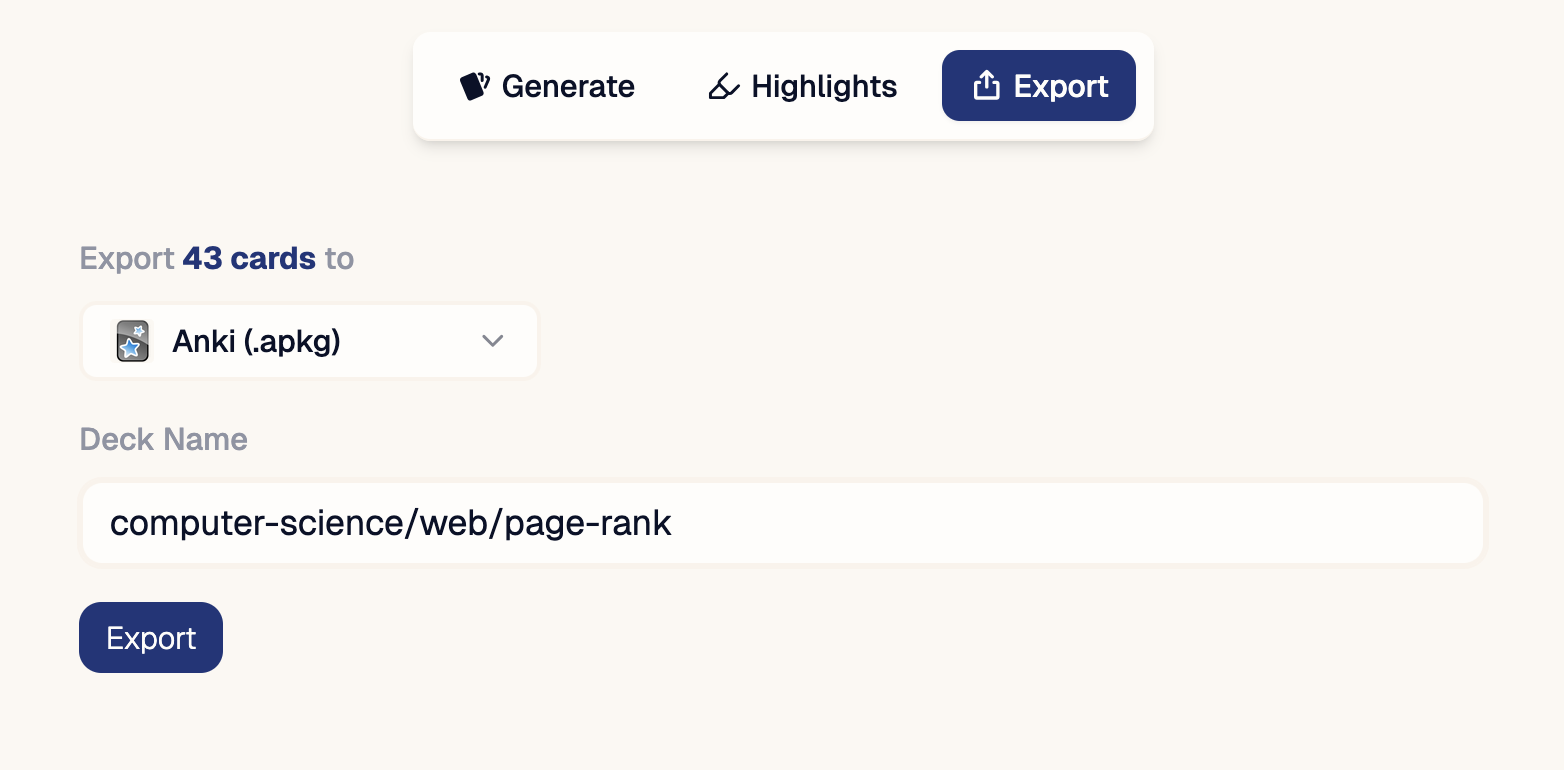
      Export to your favorite spaced repetition app.
      <img src="https://mintcdn.com/janus-8f513059/11EOzrkR4XI3jgr4/imgs/export-example-1.png?fit=max&auto=format&n=11EOzrkR4XI3jgr4&q=85&s=5c683492f8bda07a6b0dc52f83e130ee" alt="" width="1564" height="770" data-path="imgs/export-example-1.png" />
    </p>
  </Step>
</Steps>
