> ## Documentation Index
> Fetch the complete documentation index at: https://docs.janus.cards/llms.txt
> Use this file to discover all available pages before exploring further.
# Anki
## Exporting to .apkg
This is the simplest way to export flashcards to Anki. Exporting creates a `.apkg` file which can then be opened in Anki and imported. Anki already handles deduplication.
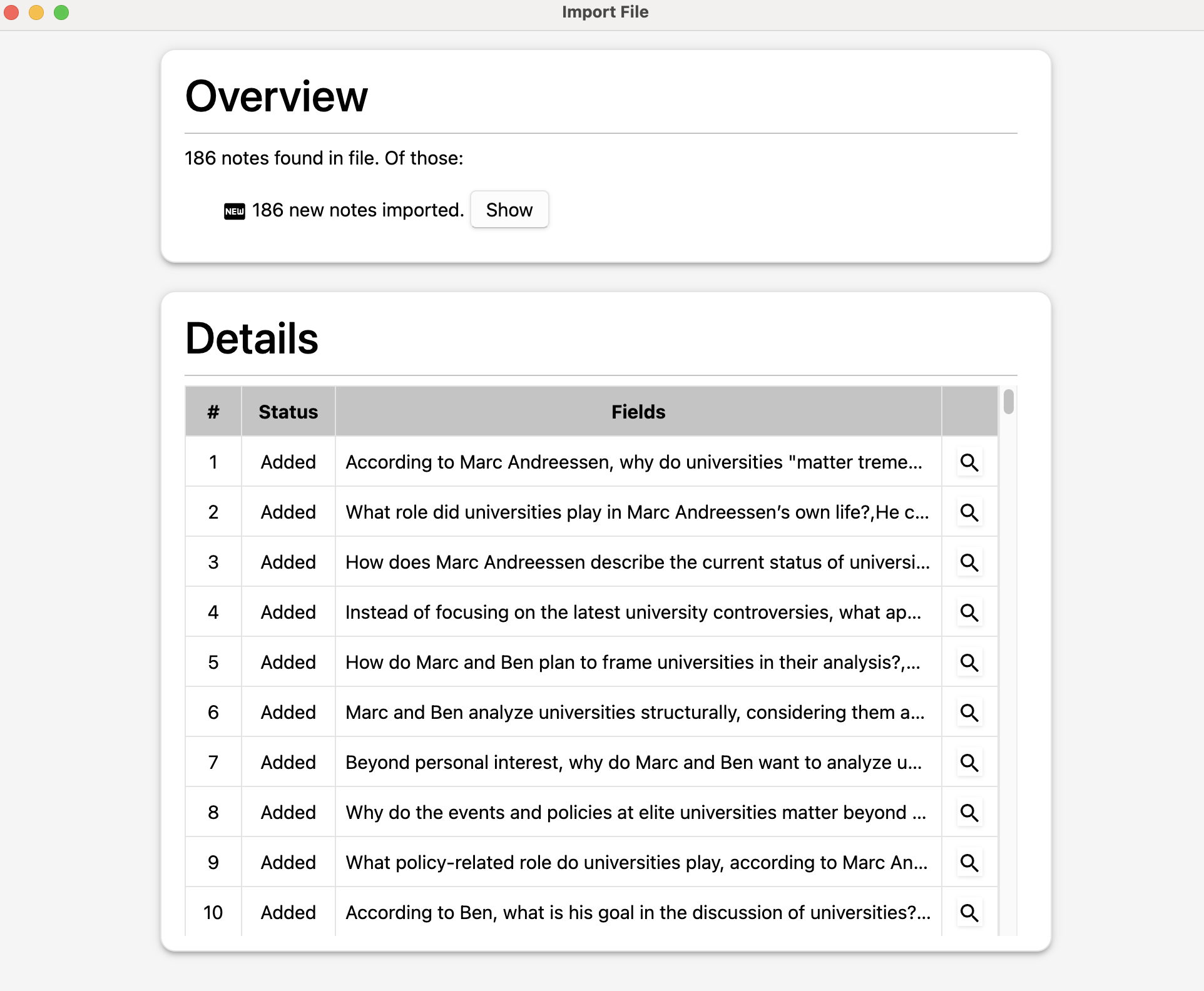 ## Exporting with AnkiConnect
[AnkiConnect](https://ankiweb.net/shared/info/2055492159) is an Anki plugin that allows external applications to interact directly with your Anki collection. You are then able to export directly into an existing or new deck with one click.
**Limitation**: Anki must be open with AnkiConnect installed on the same device Janus is running on.
### Setup
* Follow the instructions to install AnkiConnect [here](https://github.com/amikey/anki-connect?tab=readme-ov-file#installation).
* Give Janus permission to access your Anki collection:
* Go to `Tools > Add-ons`, click `AnkiConnect`, and then `Config`.
## Exporting with AnkiConnect
[AnkiConnect](https://ankiweb.net/shared/info/2055492159) is an Anki plugin that allows external applications to interact directly with your Anki collection. You are then able to export directly into an existing or new deck with one click.
**Limitation**: Anki must be open with AnkiConnect installed on the same device Janus is running on.
### Setup
* Follow the instructions to install AnkiConnect [here](https://github.com/amikey/anki-connect?tab=readme-ov-file#installation).
* Give Janus permission to access your Anki collection:
* Go to `Tools > Add-ons`, click `AnkiConnect`, and then `Config`. 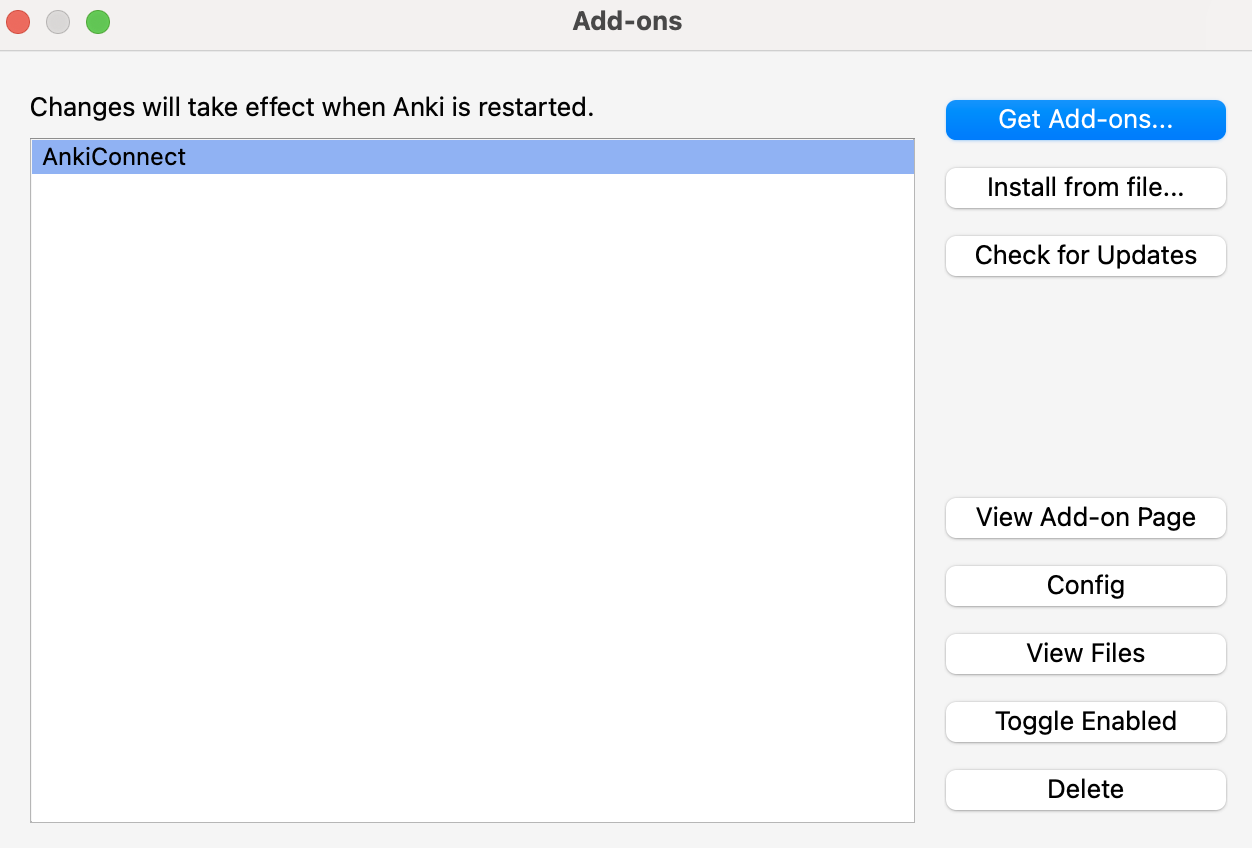 * Add `"https://app.janus.cards"` to the `webCorsOriginList`. Do not forget to add a comma between each element in the list, and do not add an extra `/` at the end of the URL.
 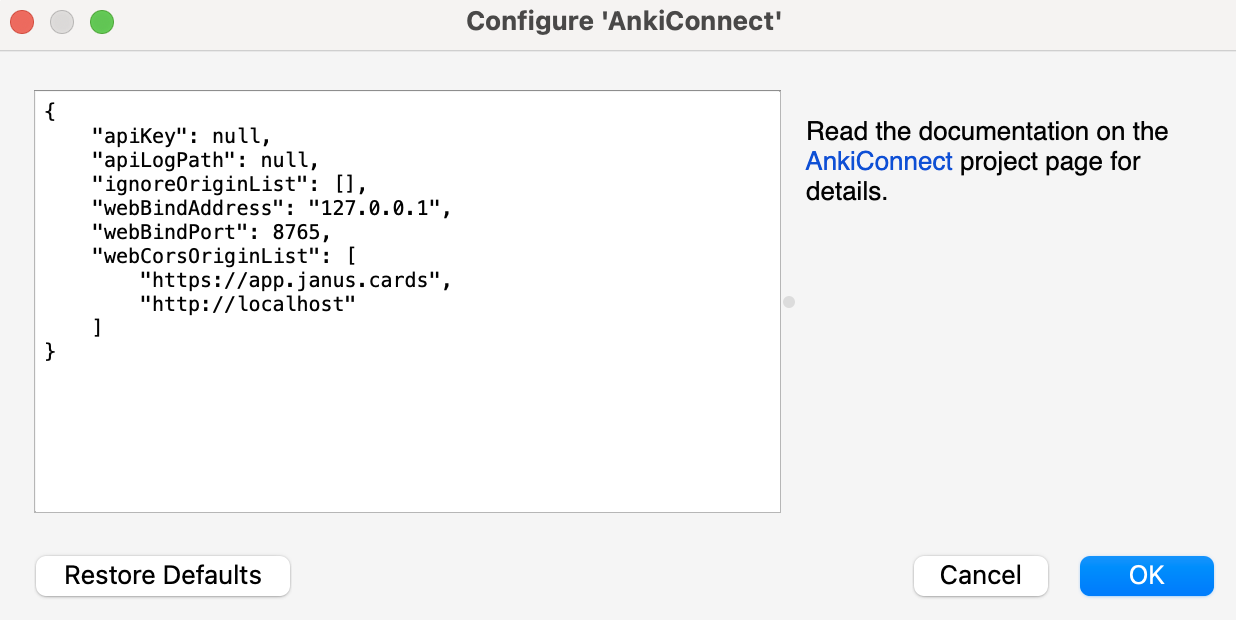 * Restart Anki if the add-on prompts you to apply the new configuration.